Workload and due-time priority
See morning and afternoon tasks, due times, linked orders, SKU counts and progress; find a task by PickList or Order ID.
 Let’s talk ↗
AXOLOT / MOBILE OPERATIONS
Give your own fulfilment and delivery teams the order context, checks and evidence they need to get the right goods to the right customer.
01 / AXOLOT PICK-PACK MOBILE · PICKING
Paper lists and scattered instructions make it easy to miss a deadline, choose the wrong pack or lose track of a short pick. Give pickers a task-led view of the order and a clear way to record what actually happened.
Priority is unclear. Unit and weighted items are handled differently. Unavailable stock or an unreadable label is discovered too late.
See morning and afternoon tasks, due times, linked orders, SKU counts and progress; find a task by PickList or Order ID.
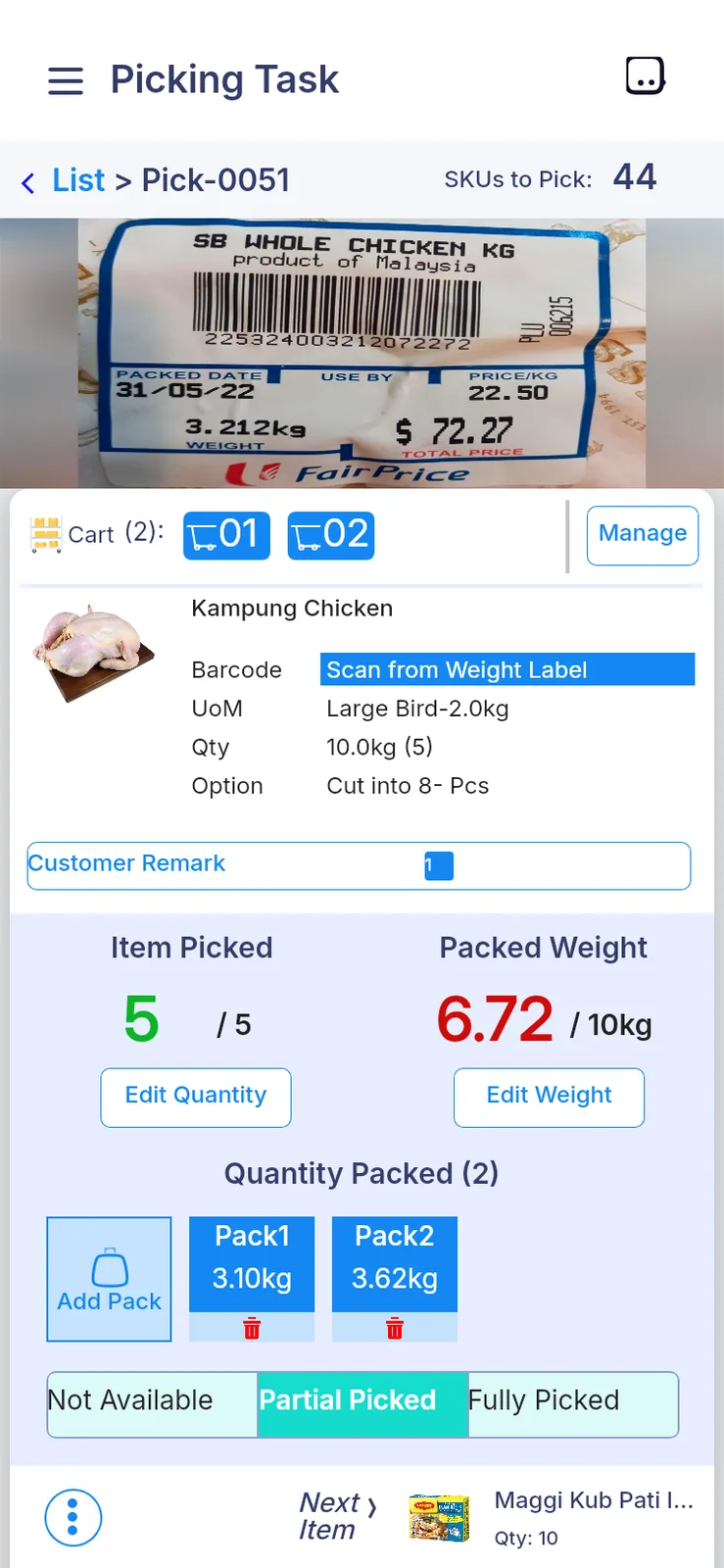
Keep unit of measure, customer options and remarks visible at the shelf so the team knows what to select.
Scan a weight label and record actual weight by pack alongside quantities for standard unit products.
Mark an item fully picked, partially picked or unavailable, preserving the reason the order needs attention.
Add a pack manually with a required positive weight, or rescan its barcode, so a damaged label does not erase the pack record.
A clearer pick record gives the packing team the right quantities and actual weights to check against.
02 / AXOLOT PICK-PACK MOBILE · PACKING
Packing is where a correct pick can still become a wrong delivery. Tie the picked items to the target bag and check what was scanned before the bag moves on.
Goods land in the wrong bag. A short pick is treated as a complete order. Weighted packs or standard units are counted without reference to the picked record.
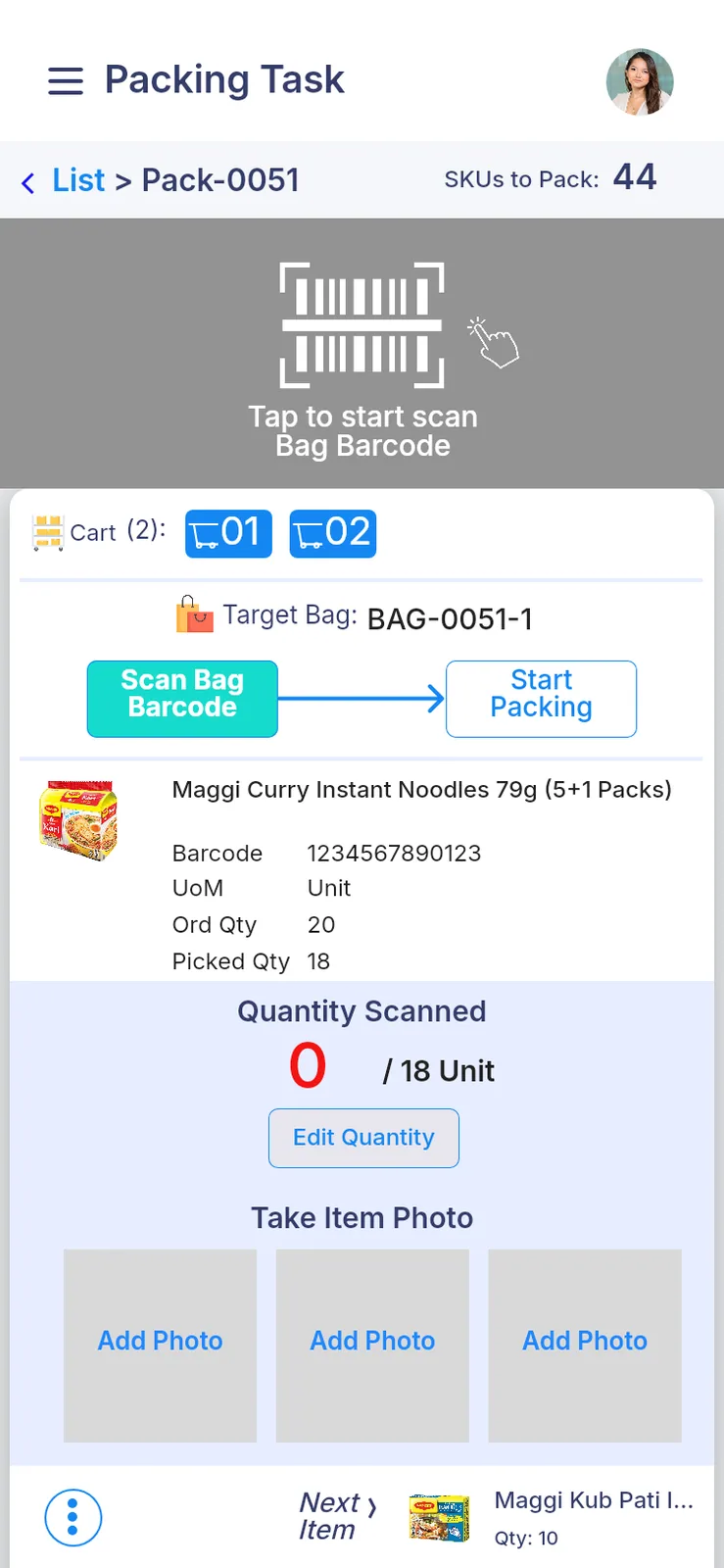
Scan the target Bag ID before packing to anchor each item to the intended bag.
See the differences at the packing task and confirm scanned quantity against what the picker recorded.
Carry recorded actual weights and pack counts forward for variable-weight goods while checking ordinary unit quantities for standard products.
Add product photos where needed and use explicit packed-item confirmation before progressing to the next SKU.
A verifiable bag-to-item handoff helps catch mismatches before dispatch.
03 / AXOLOT DELIVERY MOBILE
Give your own fleet the delivery context and a structured way to record what reached the customer, what came back and what was collected.
Drivers hunt for contact details. Returns arrive without a reason or evidence. A delivery is marked complete without a signature, photo or clear COD status.
See delivery and order IDs, address, scheduled time and customer details, with call and traffic actions at hand.
Record the returned product, quantity, reason and remarks with photo or video evidence for follow-up.
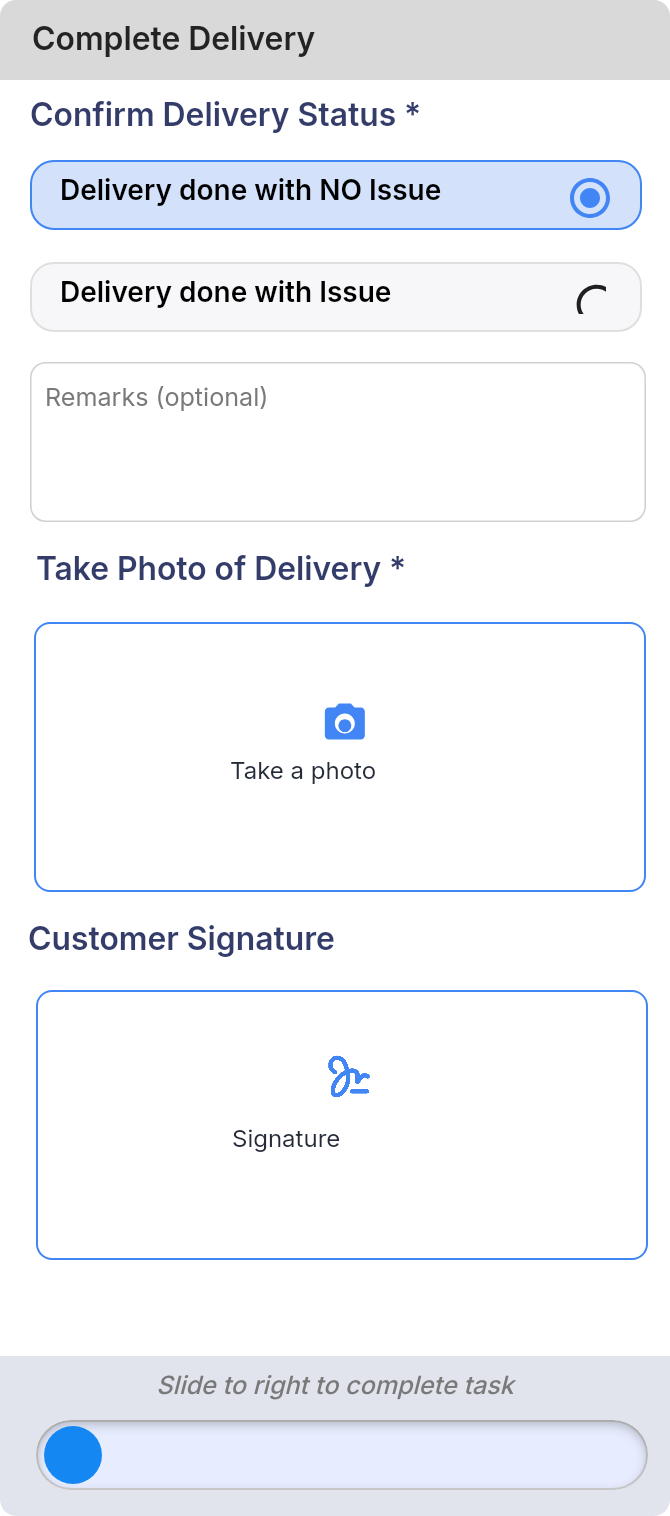
Capture a delivery photo, customer signature, remarks and whether the handover completed with or without an issue.
Keep the amount to collect and its collection status within the COD handover path.
The team has a documented handover, exception and collection record to act on.
ONE AXOLOT ORDER · THREE CONNECTED HANDOFFS
Axolot eCommerce connects the order to picking, bag verification and your own delivery fleet. Keep the operation on Axolot or integrate the systems your enterprise already uses.
App screens are illustrative designs. Availability of workflow steps, integrations and policies is confirmed for each implementation.
Explore the Axolot eCommerce foundation ↗LET’S CONNECT THE WORK BEHIND THE ORDER
THE SERVICES BEHIND THIS SOLUTION
Explore the work that shapes implementation and adoption.